
DJIA Cache – Licence Tab
Last Updated: March 6, 2026
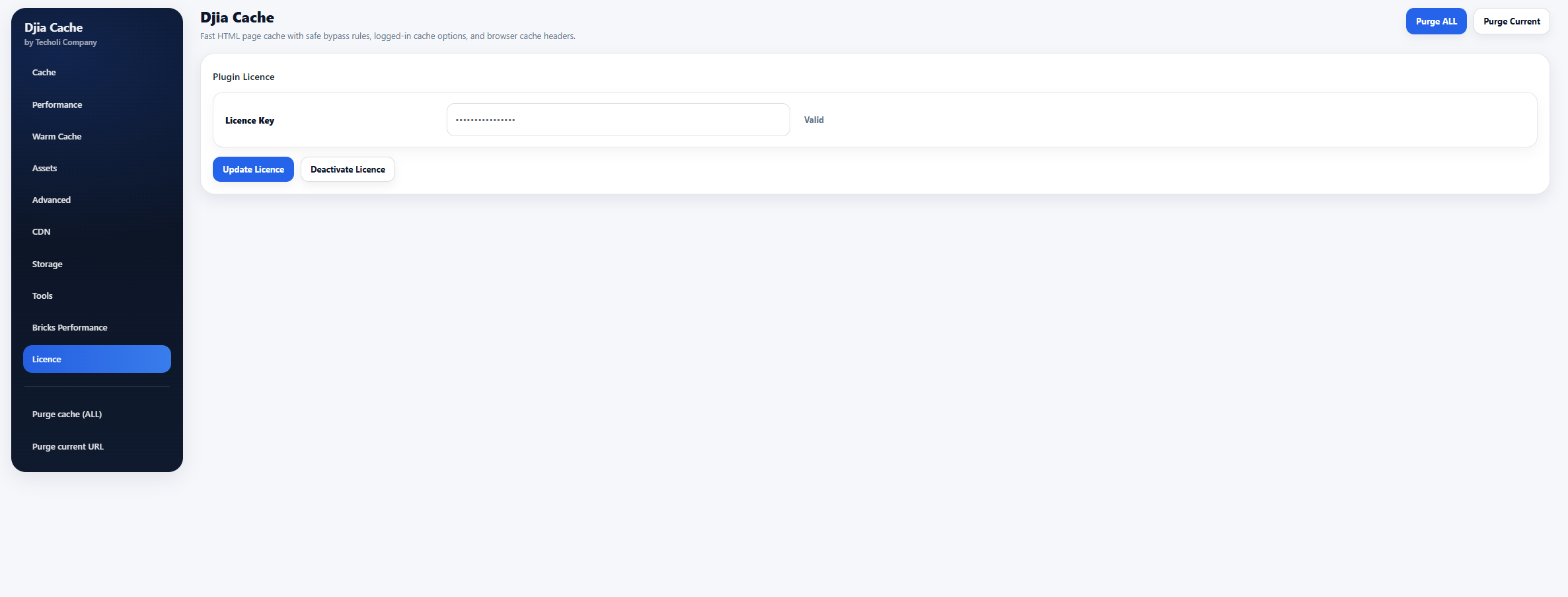
The Licence tab allows you to activate or deactivate your DJIA Cache licence key.
Activating your licence enables:
- plugin updates
- premium features
- licence verification
Sections included in this tab:
Activate Licence
Follow these steps to activate your DJIA Cache licence.
Step 1 — Open the Licence tab
Navigate to:
Settings → DJIA Cache → Licence
This tab contains the licence activation settings.
Step 2 — Enter your Licence Key
Enter your Licence Key into the input field.
The licence status indicator will display the current state of the key.
Example status:
Active (Development)
Possible licence states may include:
- Active
- Active (Development)
- Inactive
- Invalid
Step 3 — Activate the licence
Click the Activate Licence button.
If you are replacing an already active key, the button may appear as:
Update Licence
The plugin will contact the DJIA Cache licensing server to validate the key.
Step 4 — Wait for confirmation
After activation, a confirmation message will appear indicating whether the licence was successfully activated or if an error occurred.
Example responses:
- Licence activated successfully
- Invalid licence key
- Licence limit reached
Deactivate Licence
You can deactivate your licence if you want to move it to another website.
Step 1 — Open the Licence tab
Navigate to:
Settings → DJIA Cache → Licence
Step 2 — Click Deactivate Licence
If your licence is currently active, click the Deactivate Licence button.
This will:
- unregister the licence from the current website
- allow the licence to be used on another installation
⚠ Important
Always deactivate your licence before:
- migrating a website
- moving the plugin to another domain
- reinstalling WordPress on the same domain
This ensures the licence can be reused without activation limits.
What activation sends and why
Activation contacts the licence server with the licence key, the site URL and the plugin version. That is what allows a slot to be counted against your licence and automatic updates to be delivered to this site. Nothing about your content, your visitors or your database is transmitted.
If activation fails, the usual cause is an outbound connection blocked by the host or a security plugin rather than a wrong key. A site that cannot reach the licence server keeps working and keeps caching, but it will not receive updates until the connection is restored.
Related documentation
Further reading: Techoli Company.