
TTFB from cache
53–57 ms
Built for agencies and developers who want real control over caching, delivery, and optimization without turning the site into a fragile mess of disconnected tools.
Serve pages fast with a streamlined cache layer designed for lower server work and faster repeat delivery.
Handle authenticated traffic with role-based buckets and smarter cache separation for dynamic environments.
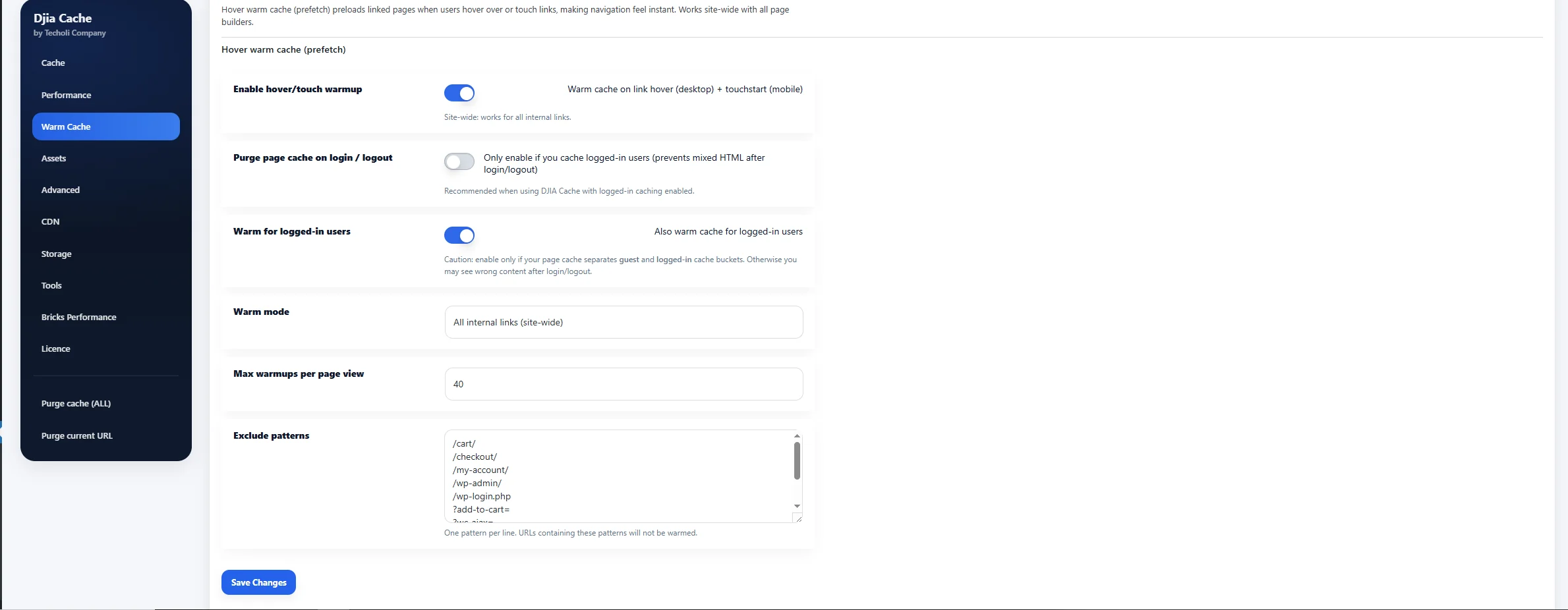
Warm important pages ahead of real visits so high-value URLs stay fast when users actually arrive.
Set practical expiration rules across pages, products, and templates to match how content really changes.
Reduce main thread pressure by delaying non-critical JavaScript until interaction where it makes sense.
Prioritize above-the-fold rendering for a cleaner first paint and stronger perceived performance.
Separate cache behavior by visitor type so dashboards, client portals, and protected areas remain predictable.
See cached URLs, rebuild status, hit ratios, and performance signals from one focused interface.
Designed for WooCommerce, Bricks, dynamic templates, and production workflows that cannot afford guesswork.
DJIA Cache is designed to improve first response speed, stabilize repeat visits, and reduce unnecessary server work. The result is a cleaner delivery path that supports stronger experience metrics under real traffic. See the measured results in our real-world speed tests.
Instead of chasing vanity settings, the plugin focuses on the parts that matter: smart page delivery, intelligent preload strategy, tighter TTL control, and a dashboard that helps teams act with confidence.
Shorter server response times for cached pages and smoother first interaction on key landing pages.
Pages stay warm and ready through preload and rebuild workflows built for real publishing activity.
Support stronger user-perceived speed by combining smarter delivery with lighter client-side work.
See which pages are cached, which routes need rebuilding, and how your cache strategy behaves across dynamic content, templates, and logged-in traffic.
On this page
For an anonymous visitor, caching is simple. Every request for a URL should produce the same HTML, so the server builds that HTML once, writes it to disk and serves the file to everyone who asks. No PHP runs, no database is queried, and time to first byte drops to whatever the web server needs to read a file.
The moment someone logs in, that assumption breaks. The page now contains an admin bar, a greeting with their name, a cart, an order history, a members-only block, or any number of things that belong to that person alone. Serve one visitor’s copy to another and you have not made the site faster, you have leaked their session into someone else’s browser.
Logged-in user caching is the set of rules that makes storing those pages safe. Instead of one cached copy per URL, the cache key includes who is asking: their role, in some cases their user ID, the device class, and whichever cookies you declare as meaningful. Two editors looking at the same article share a cached copy. An editor and a subscriber do not. A customer with items in the cart never shares anything with anyone.
Done properly, the win is large, because authenticated traffic is exactly the traffic that costs the most to serve. Dashboards, account pages, membership areas and shop back-ends run more queries than a public post does, and they are the pages your most committed visitors spend the most time on.
Open almost any popular caching plugin and you will find page caching switched on for guests and switched off, or heavily restricted, for everyone else. That is not an oversight. It is the safe default, because the cost of getting it wrong is visible, embarrassing and hard to debug after the fact.
The failure mode is always the same: a cached fragment that belonged to one session turns up in another. The classic symptoms are a stale cart total, the wrong name in the account menu, a nonce that has expired, or a logged-out visitor seeing a page that still shows the admin bar. These are intermittent by nature, which means they usually reach a customer before they reach you.
So the industry settled on a compromise. Guests get the cache. Logged-in users get the full PHP path on every request, and whatever speed they experience is whatever the server can manage live. For a blog that is a reasonable trade. For a shop, a membership site or a client portal, it means the slowest pages on the site are the ones your paying users live in.
The alternative is not to cache less carefully but to cache more precisely. If the cache key can describe who is asking, the pages that are genuinely identical for a group of users can be shared within that group, and the pages that are personal can be excluded by rule rather than by giving up on the whole category.
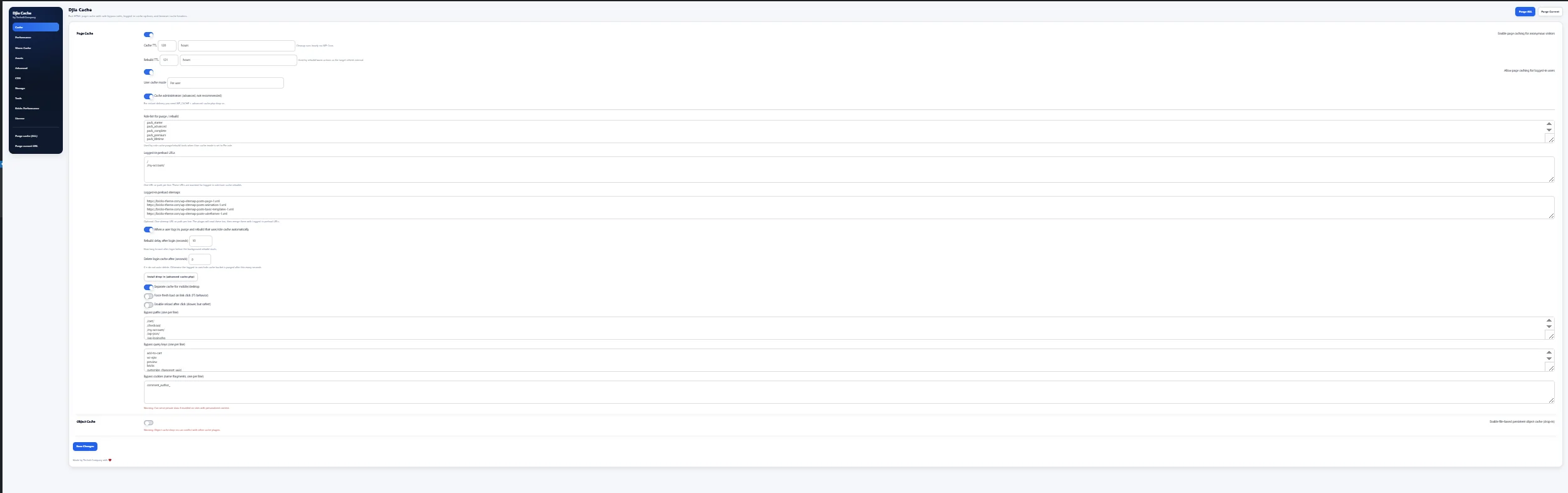
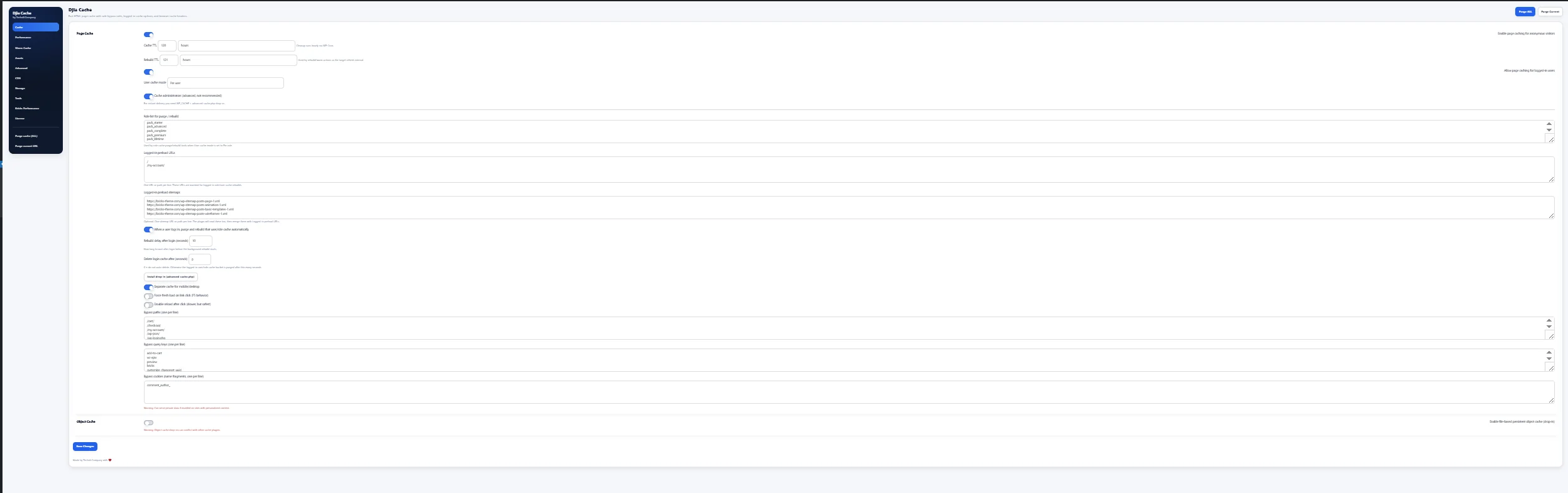
Logged-in user caching is a module you switch on rather than a behaviour you inherit. Once it is enabled, authenticated requests are stored in their own buckets, keyed by role, and kept entirely separate from the anonymous cache. Mobile and desktop are separated the same way, so a layout built for one viewport never reaches the other.
Around that sit the controls that decide what is allowed in. Bypass rules accept paths, query parameters and cookies, and anything matching them is served live every time. Cart, checkout and account routes belong on that list from the first day, along with any REST endpoint your front end calls for personal data. TTL is set per bucket, so a members area that changes hourly does not have to share an expiry with a blog archive that changes twice a month.
Purging is tied to the events that actually invalidate a page. Logging in or out clears and rebuilds the relevant buckets rather than the whole cache, saving a post clears the entries that contain it, and the warm cache module refills what was dropped before a real visitor meets an empty bucket. Underneath, the persistent object cache keeps query results between requests, so even pages that are deliberately never cached cost less to assemble.
The point of the design is that nothing is implicit. Every rule that decides who shares a page with whom is a setting you can read, change and test, which is the only way to be confident about a cache that holds personal pages.
A shop is where this stops being theoretical. WooCommerce gives every visitor a session the moment they add something to the cart, logged in or not, and a handful of pages must never be stored: cart, checkout, my-account and anything under them. Those are excluded by default and should stay that way.
Everything else is fair game, and on most shops that is the majority of the traffic. Category archives, product pages, search results and the content pages around them are identical for every customer who is not currently holding a cart, and they are also the pages that run the heaviest queries. Caching them for logged-in customers is usually where the largest improvement on a shop comes from.
The detail that catches people out is the cart fragment. If your theme prints a live cart count in the header, that number has to come from somewhere other than the cached HTML, which is exactly what WooCommerce’s own fragments request is for. Leave it alone, keep its endpoint on the bypass list, and the cached page stays valid while the count stays current.
Pricing is the other case worth checking. If you run role-based or customer-specific pricing, the product pages are no longer identical between roles, and the role-keyed buckets are what keep that correct. Test with one account per price tier before going live.
There are sites where the honest answer is to leave this module off, and knowing which ones saves a lot of debugging.
If almost every page a logged-in user sees is unique to them, there is nothing to share and nothing to gain. A banking-style dashboard, a per-user analytics view or an LMS that tracks progress on every screen will produce one cache entry per user per URL, which fills storage without improving anything. The persistent object cache is the better tool there, because it speeds up the queries that build those pages instead of trying to store the result.
If your site has a small number of authenticated users who are all administrators, the same applies for a different reason. Five editors do not generate enough repeat traffic for a cache to pay for itself, and administrators are the people most likely to be confused by a page that is a few minutes out of date.
And if a plugin in your stack writes personal data into the page HTML without declaring a cookie or a nonce, no cache key can protect you from it, because nothing in the request distinguishes one visitor from another. That is worth finding out deliberately, on a staging copy, rather than discovering it in production.
Switch on page caching for guests first and confirm the site is intact before touching anything else. That gives you a known-good state to return to, and it is also where most of the raw speed comes from.
Then enable logged-in user caching, and before testing anything add the routes that must stay dynamic to the bypass list: cart, checkout, account, and any REST endpoint your front end uses for personal data. Set a shorter TTL than you think you need. You can always raise it once you trust the setup.
Testing takes two browsers, or one browser and a private window. Log in as one role in the first and a different role in the second, load the same URL in both, and confirm that each sees their own version. Then load the URL as a guest and confirm no trace of either session appears. Repeat after a purge, because the first request after a purge is the one that writes the entry everyone else will receive.
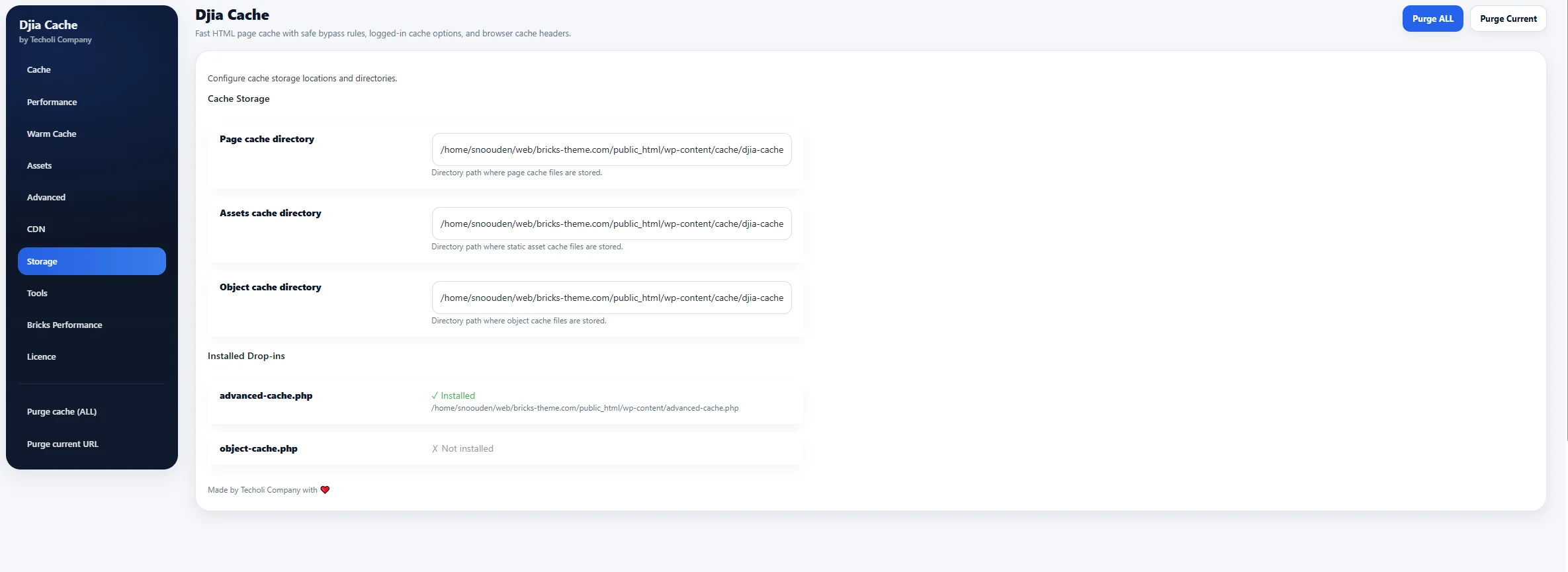
The storage view tells you what happened: which URLs are cached, which bucket each entry belongs to, and when it expires. If a page you expected to be stored is missing, it matched a bypass rule, and the rule is the thing to look at. Every option here is documented in the documentation, and the free 7-day trial runs the whole plugin on your own site so you can test this against your own stack rather than a demo.
No. The WordPress admin is never cached, by any configuration of this plugin. What the module stores is the front end as an authenticated visitor sees it, which is a different thing from wp-admin.
It works where content is the same for everyone in a role and needs excluding where it is not. A members area that shows the same lessons to every member of a tier caches well. A progress screen that is unique to one student should be on the bypass list. Most membership plugins mix the two, so expect to exclude a handful of routes rather than all of them.
That depends entirely on how expensive your logged-in pages are to build. On a shop with heavy product queries the difference is dramatic, because the work being skipped is large. On a lightweight site with a fast database it is smaller. The honest answer is to measure it on your own site, which is what the trial is for.
Entries containing the changed content are purged and the warm cache module rebuilds them, so the next visitor gets a fresh page rather than waiting while one is generated. You can also purge everything manually from the dashboard when you want a clean slate.
Usually, but check first. If your host already caches pages at the edge, two layers can disagree about who is logged in. Where that happens, the right answer is normally to let one of them handle page caching and leave the other to assets.
Move beyond generic caching plugins and deploy a performance layer designed for serious websites, real traffic, and teams that care about speed, control, and operational clarity.