
WordPress cache plugin with performance you can actually see.
DJIA Cache is a WordPress cache plugin built to produce measurable improvements in real WordPress environments. Faster first paint, lower TTFB, cleaner layout stability, and better runtime behavior — without turning your setup into a fragile mess.
The WordPress cache plugin improves frontend loading behavior across real user sessions.
Designed for Bricks Builder, WooCommerce, multilingual sites, and production stacks.
Focused on real speed gains, not fake benchmark wins.
Source: PageSpeed Insights lab tests of djia-cache.com on 5 Oct 2026 (desktop 100, mobile 95 to 99). TTFB measured in a browser on the same day. Run the test yourself.
A WordPress cache plugin built for real performance, not fake benchmarks.
This WordPress cache plugin is designed to deliver measurable speed improvements in real WordPress environments — not just in synthetic tests.
From faster TTFB to smoother rendering and stable layouts, every part of this WordPress cache plugin is built to improve how your site actually behaves for users.
No bloated features. No fragile hacks. Just clean, predictable performance.
Page caching, preload and asset optimization in one plugin.
DJIA Cache combines smart caching, clean delivery, and real-world optimization into one WordPress cache plugin — built to improve speed without breaking your site.
Real Cache, Not Fake Speed
No tricks, no benchmark hacks — actual performance gains users feel.
Built for Complex Sites
Handles stores, memberships, dynamic content, and large websites without breaking.
Predictable Performance
What you cache is what users get — stable, consistent, and reliable.
Zero-Bloat System
Only what matters. No useless features slowing your site down.
Make your Bricks and WooCommerce site faster, cleaner, and more reliable.
DJIA Cache is built around one simple idea: performance should work in real conditions, not just in tests. From faster TTFB to stable rendering and smarter cache handling, everything is designed to improve how your site actually performs — for real users, on real devices.
Advanced caching logic, WooCommerce-ready behavior, and clean frontend output.
Speed, stability, and predictable performance
across dynamic and static content.
Lower TTFB and better Core Web Vitals on real WordPress sites.
This WordPress cache plugin is built to deliver measurable results — from faster server response times to smoother frontend performance and stable user experience across all pages. Every number below comes from real tests: watch the speed test videos, including direct comparisons with WP Rocket and FlyingPress.
Accessibility, Best Practices, SEO
All three PageSpeed Insights categories for this site on 5 Oct 2026.
PageSpeed score
PageSpeed Insights on 5 Oct 2026: mobile 95 to 99, desktop 100.
TTFB after caching
Median server response from cache on this site on 5 Oct 2026. Without cache: 608 ms.
Stable rendering
No layout shift in PageSpeed Insights lab tests of this site on 5 Oct 2026.
Try the DJIA Cache WordPress plugin free for 7 days
Test this WordPress cache plugin on your real stack for 7 days. See measurable improvements in load times, server response, and stability — before making a decision. No long-term commitment. Full access. Real results.
Start 7-Day TrialHow the DJIA Cache WordPress cache plugin works
Smart Cache Layer
The DJIA Cache WordPress cache plugin builds an intelligent caching layer tailored to your site, reducing server processing and improving time to first byte.
Runtime Enhancements
Dynamic adjustments improve loading behavior for logged-in users, WooCommerce sessions, and complex page builders.


Environment Analysis
We analyze your WordPress stack — including active plugins, theme structure, hosting environment, and traffic behavior — to determine the optimal caching strategy.
Asset Optimization
Scripts, styles, and media are handled intelligently to minimize render-blocking behavior while maintaining full compatibility.
Stable Performance Delivery
Performance improvements remain consistent across repeated tests and real user sessions — not just the first Lighthouse run.
What this WordPress cache plugin does differently
On this page
What changes when you switch it on
A WordPress cache plugin removes work rather than speeding it up. The first request for a page builds it, writes the result to disk as static HTML, and every request after that is served from that file without running PHP or touching the database. Time to first byte drops to whatever the web server needs to read a file, which on a decent host is a few milliseconds.
That is the part people measure. The part they feel is different. Largest contentful paint moves because the browser discovers the hero image sooner, not because the server got faster, which is why a page can have an excellent first byte and a mediocre paint at the same time. Cumulative layout shift barely moves at all, because it comes from a theme that reserves no space for an image, and no caching layer can reserve it for you.
So the honest summary is that page caching fixes the server side completely and the browser side only partly. The modules that handle the rest — preload hints, lazy loading, critical CSS — are separate switches, documented one by one, because each of them can change how a page renders and you want to know which one did it.
What it cannot fix is a slow database on an oversold server, a theme that loads six web fonts, or a plugin that queries on every request. Those costs show up on exactly the pages a cache is not allowed to store — cart, checkout, account — and that is where visitors notice them most. If your numbers barely move after caching, the problem was never the delivery; it was the stack underneath, and the hosting notes cover the cases where that happens.
Everything above is measured on a live site on the speed tests page, and every option is written up module by module in the documentation, including the ones that can change how a page renders.
WooCommerce, Bricks and multilingual sites
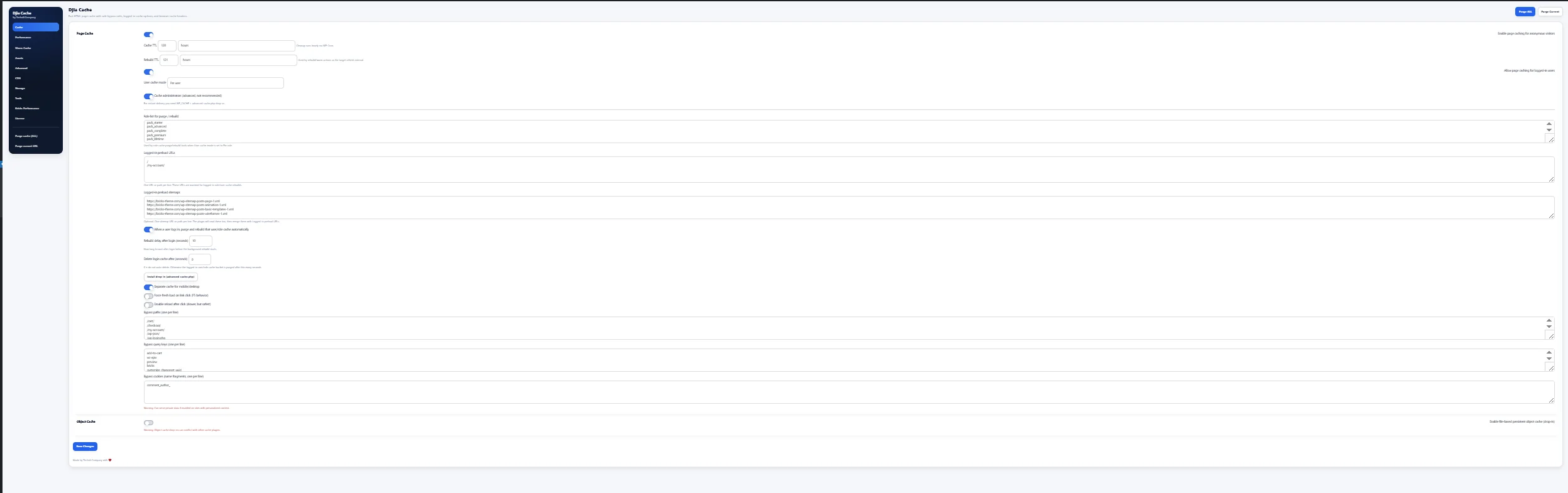
A shop is where caching stops being simple. Cart, checkout and account can never be stored, and they are exactly the pages where a slow response costs money. Everything around them — category archives, product pages, search results — is identical for most visitors, and that is where the real gain is. Those bypass rules ship written, so the first job on a store is not configuring exclusions but verifying they are in place.
Logged-in traffic is the harder half. Serving one customer’s cached page to another is how the wrong name appears in an account menu or a stale total appears in a cart. Authenticated pages are kept in their own buckets, mobile is separated from desktop so a layout built for one never reaches the other, and the paths, cookies and query parameters that must stay dynamic are listed rather than guessed.
Bricks sites have a different problem. The builder prints most of its CSS to generated files, so the element that becomes the largest contentful paint is often referenced from a stylesheet rather than an image tag, and the browser finds it late. The Bricks module identifies that element and emits a preload hint in the head, so the request starts with the document instead of after it. Saving in the builder clears the matching entries, so the page you preview is the page you just edited.
Multilingual sites add one rule rather than a new system: each language is a separate cache key. If a visitor in one language can receive a page generated for another, the cause is almost always a language cookie or a query parameter that was never declared, and the fix is to declare it. The same applies to currency switchers and geolocation redirects, which are cookies wearing a different name.
The order to switch things on
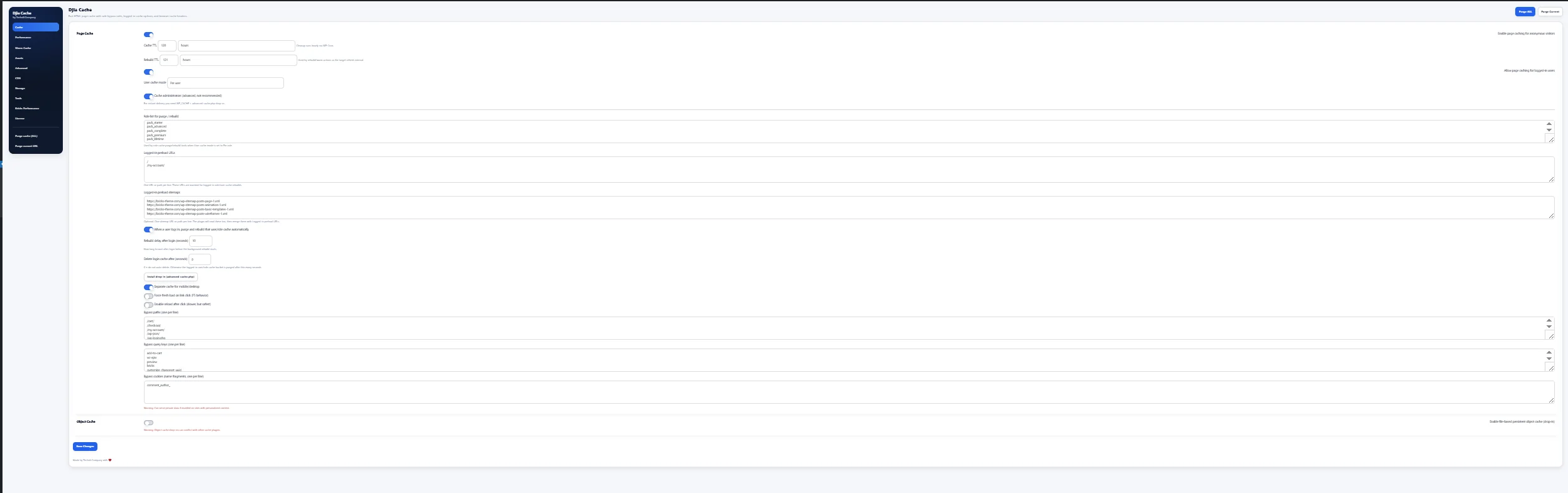
Page caching first, then browser cache headers, then asset caching and compression, then the front-end work — lazy loading, LCP preload, font handling — and only then the options that rewrite or delay code. That order is not arbitrary: it runs from the changes that cannot alter how a page looks to the ones that can.
The reason is diagnostic rather than technical. If you enable thirty options at once and a layout breaks, you have thirty candidates. If you enable one group at a time and load the pages that matter after each, the cause is the thing you just changed. On a store that means opening cart, checkout and account specifically. On a Bricks site it means opening a page in the builder, because the builder is where a bad asset rule shows itself first.
Testing after each step costs a few minutes and saves an afternoon. Keep one browser tab logged out and one logged in, reload both, and look at the page rather than the score — a number can stay flat while a menu quietly stops opening. Deferring or asyncing scripts changes execution order, delay JS holds non-critical JavaScript until the visitor interacts, and inlining critical CSS can produce a brief unstyled flash if the critical set is incomplete. Each of those keeps its own exclusion list for that reason.
What to measure afterwards is narrower than most reports suggest. Time to first byte tells you whether the cache is being hit at all. Largest contentful paint tells you whether the preload hint found the right element. Most of the rest is either noise or a theme problem. Measure the same three pages every time — home, one archive, one product — and compare against your own earlier numbers rather than somebody else’s demo site.
What a trial week should tell you
Seven days is enough to answer three questions, and it is worth deciding beforehand which three. The first is whether the cache is being hit at all: time to first byte on a logged-out page should drop to something close to a static file, and if it does not, the page is being excluded somewhere and the exclusion is the thing to find.
The second is whether anything broke. That is not a score question, it is a clicking question. Open the menu, submit the contact form, add something to the cart, log in and look at the account page, and open one page in the builder if you use one. A caching setup that passes all five is one you can leave on and stop thinking about.
The third is whether the front-end options earned their keep. Switch them on one at a time and keep the ones that move largest contentful paint on your own pages. Some will not. Delay JS on a site with no third-party embeds does very little, and critical CSS on a page with a small stylesheet does less. Keeping an option that does nothing is how a simple setup turns into one nobody wants to touch.
What a trial cannot tell you is how the plugin behaves under traffic you do not have yet, or on a host you are planning to leave. Those are separate decisions, and treating a cache plugin as the answer to either of them is how people end up disappointed by something that worked exactly as described.
How this compares with the usual alternatives
Most cache plugins do the same five things, and most of them do them competently: store pages, set headers, compress and minify assets, defer scripts, preload. Anyone claiming a secret technique in that list is selling the list. What differs is the parts around it.
The first difference is what happens to logged-in traffic. Many plugins simply do not cache it, which is honest but leaves the slowest half of a membership site or a shop untouched. Keeping authenticated pages in their own buckets is more work to get right, and worth more when it is right.
The second is how much the plugin assumes about your builder. A generic plugin cannot know that a hero image lives inside generated CSS, so it cannot preload it; it can only offer you a field to type the URL into yourself. The Bricks module does that detection automatically and prints its decision as an HTML comment, so when a score does not move you can see which element it chose.
The third is documentation. Every option that can change how a page renders is written up with its exclusions and its known conflicts, which is less exciting than a feature list and considerably more useful at eleven at night. The documentation is public, so you can read it before deciding rather than after.
What is not claimed: this is not an image optimizer, a database cleaner or a font subsetter. Those jobs belong to tools that own the media library or the build step, and a caching plugin that also rewrites your images is one you cannot remove later without consequences.
Common questions
Will it work with my theme?
Page caching works with any theme, because it stores the HTML the theme already produced. The options that rewrite code are the ones worth testing, and each can be switched off on its own without touching the others.
Do I need a CDN as well?
Only if your visitors are far from your server. A CDN changes where files come from; it does not reduce the work needed to build a page. For a single-region audience the gain is usually small enough to leave for later.
What happens when I publish a post?
The entries containing that post are purged, and the warm cache module rebuilds them in the background, so the next visitor gets a finished page instead of waiting while one is generated.
Will it conflict with my host’s own cache?
It can. Some managed hosts already cache pages and set headers at the edge, and running two layers over each other produces stale pages that are hard to trace. Where that is the case the right configuration is fewer modules, not more.
Can I try it before paying?
Yes. The trial runs the whole plugin on your own site for seven days without a card, which is the only test that settles anything — a score on somebody else’s demo site is measuring their stack, not yours. The pricing page starts it, and the features page lists what each module does.
Does it slow down the admin or the builder?
No. Everything described here happens on the front end, for visitors who are not editing. The one place the plugin touches the editing side is on save, where it clears the cache entries for the page you just saved so the preview matches what you changed, and that runs in the background rather than holding the save.
What happens if I switch it off?
The stored files are deleted and pages are built the way they were before. Nothing is rewritten permanently, no content is modified, and the theme and builder output are untouched — which is the point of keeping image conversion and database work out of a caching plugin in the first place.
Speed up your WordPress site with DJIA Cache.
Whether you need faster WordPress delivery, better plugin workflows, or a cleaner digital product foundation, DJIA is built to help you move with more speed and more confidence.
Get Started